Please try below steps to flash the firmware via computer:
It can be done with the camera turned off.
(Please remove the microSD card and the battery from camera before flashing.)
1.Install this: https://runcam.zendesk.com/attachments/token/vDErTSW4RgCokgRQ3DNHTxASA/?name=icatch_v3000_For_V37_V50_V35_V33_K33.7z to your computer.
2. Press and hold the Wi-Fi button, and connect the camera to computer via USB port. If there are two devices in device manager as showed below, please go to next step, or please try unplugging and connecting again.
3. Open the attachment file download.zip and find FRM and click it and then set as we showed in below screenshot and click ISP. The flashing starts. A few minutes later, it will show ISP finished and flashing is done. 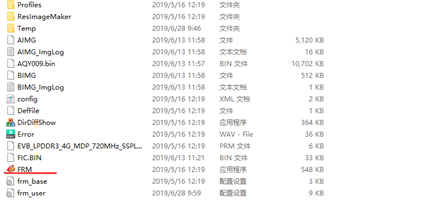

4. Please refer to this demo video
https://www.youtube.com/watch?v=8TwSQ_QBZ-Q
Comments